 Dear Robin
For iPhone and iPad
Pretty text for every chat
Type your message, pick a style and paste it into your chat, bio or caption. And when you're not sure what to say, Robin helps.

- No subscription
- No ads
- What you type stays on your iPhone
How it works
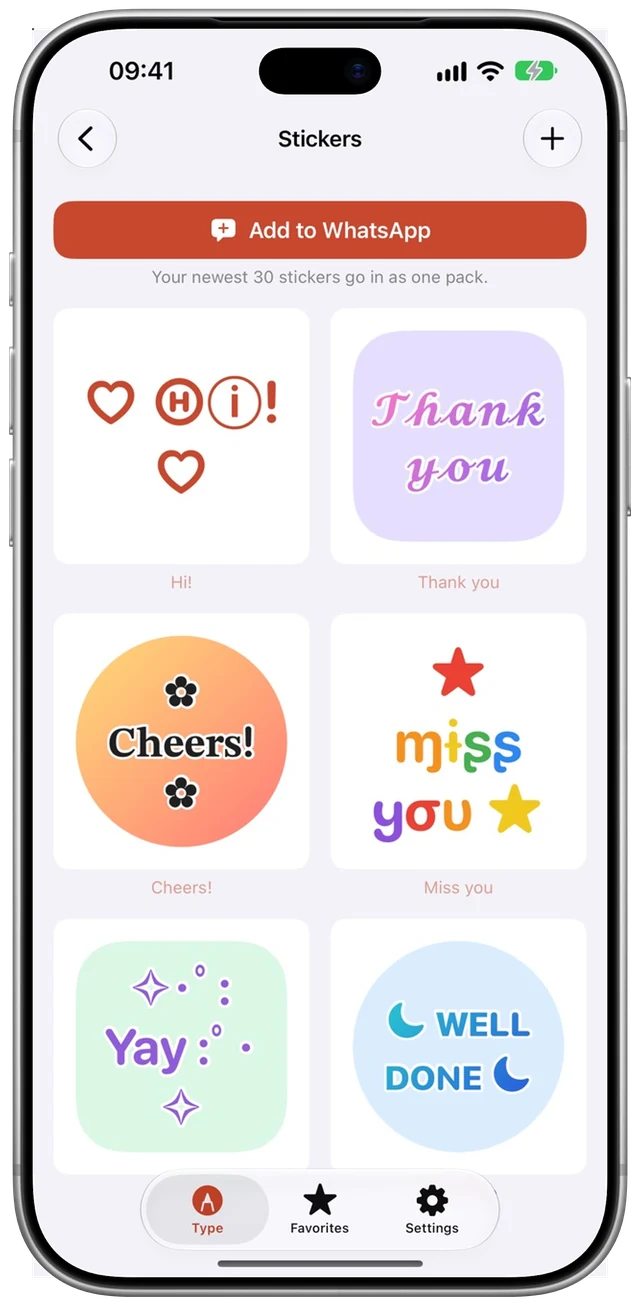
Type, pick a style, send a sticker
You just type with the Robin keyboard, pick a style and your message changes with it. And the stickers you make in the app sit right among your other stickers.
Give it a try
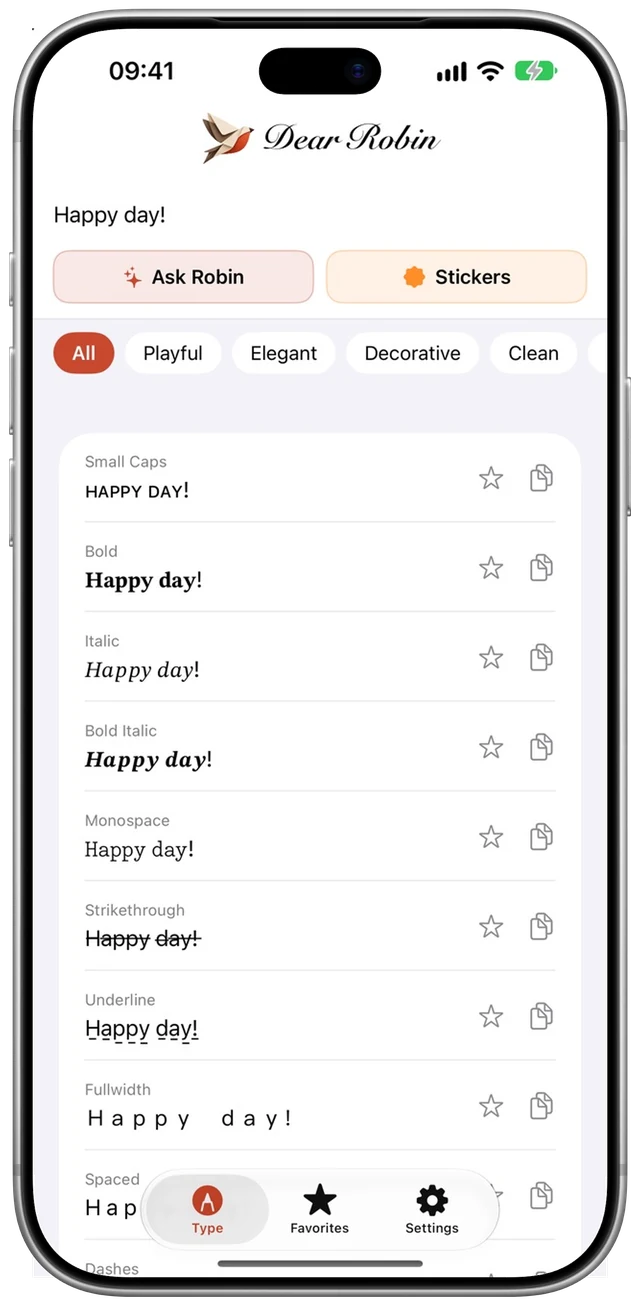
A few of the 70+ styles. They're Unicode characters, not fonts, so they work anywhere you can paste text.
70+ letter styles
Tap a style, paste it anywhere
Italic, bold, cursive, bubbles or hearts in between. Your text appears in every style at once; one tap and it's on your clipboard.
- Works in any app where you can paste text
- Keep your favourites
- Design your own style with Pro
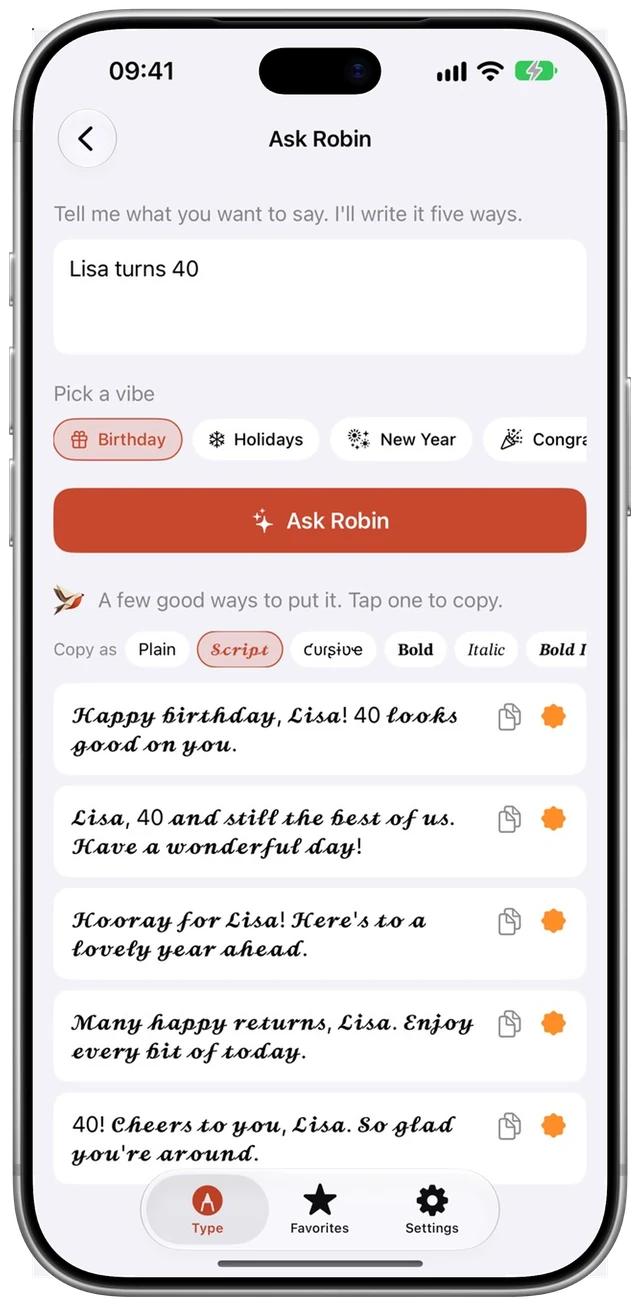
Ask Robin
Not sure what to say?
A birthday, a condolence, a thank-you or New Year: tell Robin what it's about and get five ways to say it. Warm, short and natural.
- 13 occasions, from congratulations to farewell
- Put it in a pretty style straight away
- Turn it into a sticker in one tap
The Robin keyboard
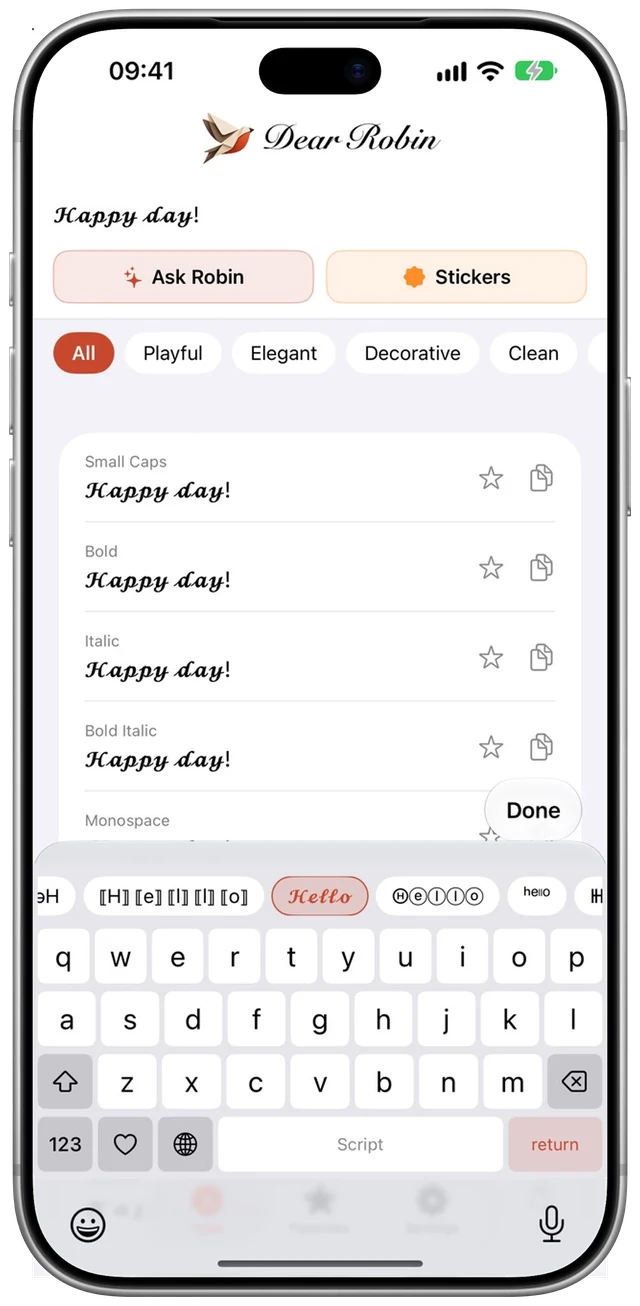
Type in style, anywhere
No copying and pasting: pick your style in the keyboard and just type. With numbers, punctuation and a page full of symbols and faces ʕ•ᴥ•ʔ.
- In any app
- No Full Access: it sends nothing anywhere
- Free, with 8 styles
Stickers
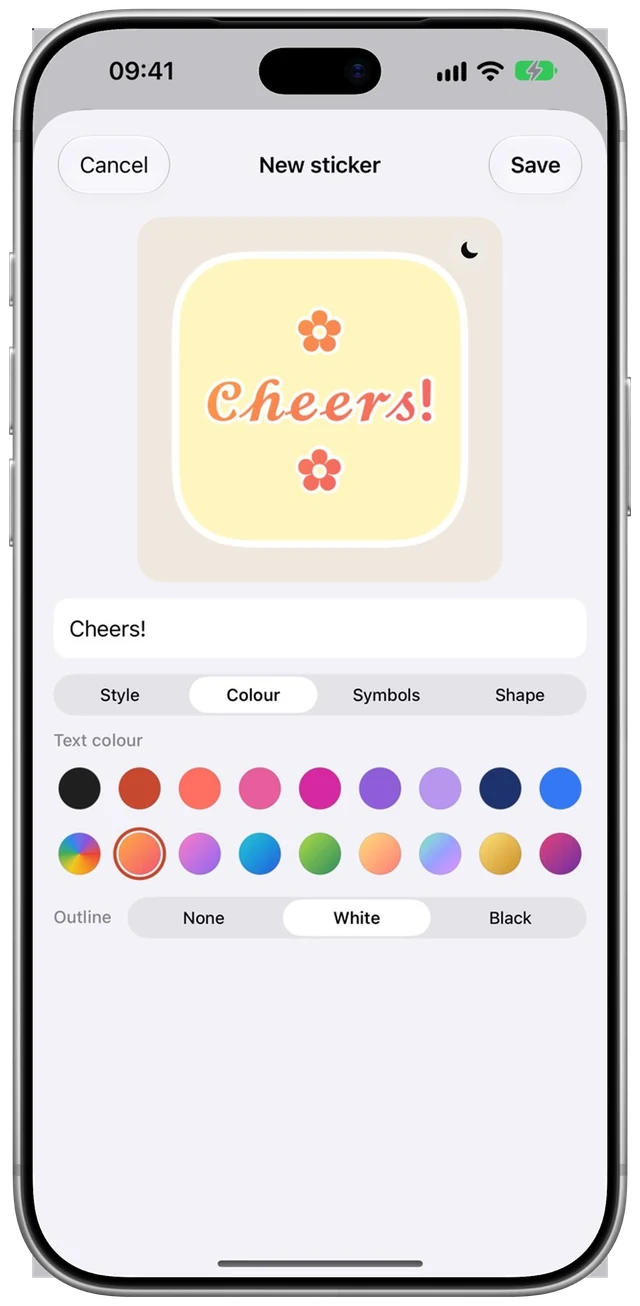
Stickers of your own words
Pick letters, colours, a balloon or circle and some ♡ ✿ ★ around them. Your stickers go to WhatsApp as a pack in one go.
- Gradients, rainbow or your own colour
- Up to 30 stickers per pack
- Try one for free
Works with WhatsApp
Lovely in every chat
Type in style
With the Robin keyboard you type in style in every chat and every group.
Stickers as a pack
Your own stickers go to WhatsApp as a pack in one tap, right next to your other stickers.
Your name and status
Make your name, about and status lovely too, for all your contacts to see.
Good to know: WhatsApp has its own formatting (*bold*, _italic_, ~strikethrough~), but it only works in messages. Dear Robin's styles work everywhere, in your name and status too.
Pay once. Keep it forever.
Other font apps charge €5 to €7 a week. Dear Robin doesn't: no subscription, no ads, no tricks.
Pick what suits you
Free
- 8 styles
- The Robin keyboard
- Symbols: ♡ ★ ✿
- One sticker to try
- A look at Ask Robin
Premium
- All 70+ styles, in the keyboard too
- Every symbol and face
- Unlimited favourites
- Unlimited stickers, in WhatsApp too
Pro
- Everything in Premium
- Ask Robin: 1,000 asks for help writing
- Design and share your own styles
Got Premium and want Pro later? You only pay the difference (€4.99). When your 1,000 asks run out, 500 more cost €1.99.
Questions
Why do some characters look different in some apps?
Dear Robin uses Unicode characters instead of fonts. Almost every app shows them well; the odd app or older device may draw a character differently.
What does the keyboard do with what I type?
It stays on your iPhone. The keyboard doesn't ask for Full Access, so it has no internet and can't send anything anywhere. It doesn't store what you type either; it only remembers your recently used symbols, on your iPhone.
What happens to my text in Ask Robin?
It goes to Anthropic, the company behind the Claude AI, to write suggestions. The app asks for your permission first. More in our privacy policy.
Do I need a subscription?
No. Premium and Pro are paid once. No subscriptions, no ads.
I have a question or a problem.
Have a look at our help page: it answers the most common questions, and you can send us a message there.
Press
Writing about Dear Robin? Here are the icon, the logo and the App Store screenshots. Questions: support@dearrobin.app.